Release 2026.41
Week 41 of 2026
Admins can now decide who sees each custom employee field, shortcuts and comment links are easier to share and open, and organisation groups can have a short description. You can also send voice messages in the app, give a reason when you can't make an event, and see someone's profile status wherever their name appears in the app. We've also fixed a range of issues across tasks, events, Academy and chat.
✨ General
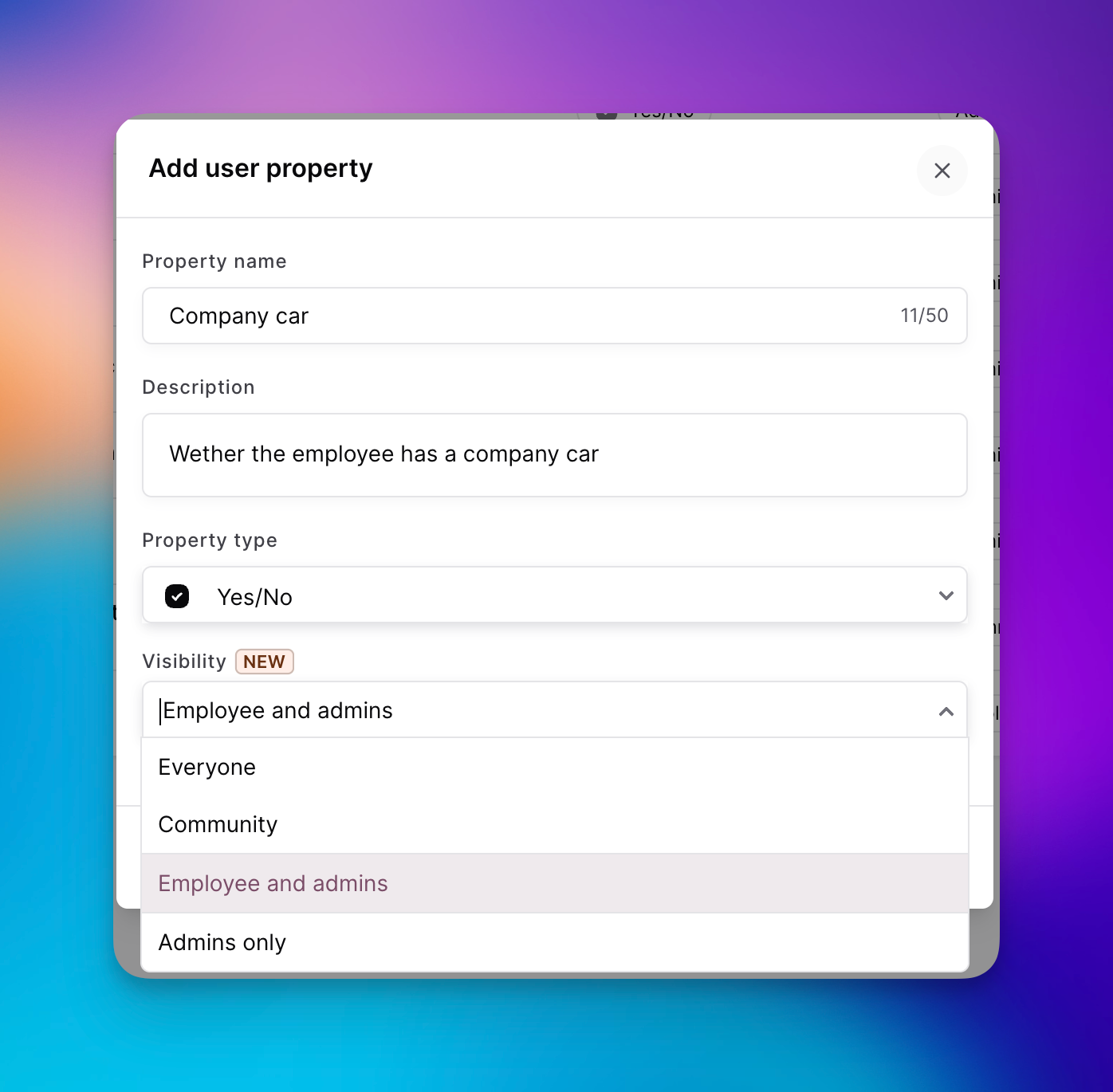
🏷️ Visibility for custom employee fields
Admins now choose who can see each custom employee field: everyone, colleagues in the same community, the employee and admins, or admins only. New and existing fields default to admins only. Profiles and colleague lists only show the fields you're allowed to see, on web and in the app, and you can filter by them. In the app, admins can also view these fields on a profile and use them when choosing an audience.
🔗 Shortcuts and comment links
You can now share a shortcut as a link, including from the shortcut settings on web, and it comes with a QR code just like other shared items. Opening the link takes you straight to the shortcut, including the login step if one is set up. When you add a link to a post, event, form or other Oneteam item in a comment on the timeline, a form or a task, it now shows as a tappable label with the item's name instead of a raw web address.
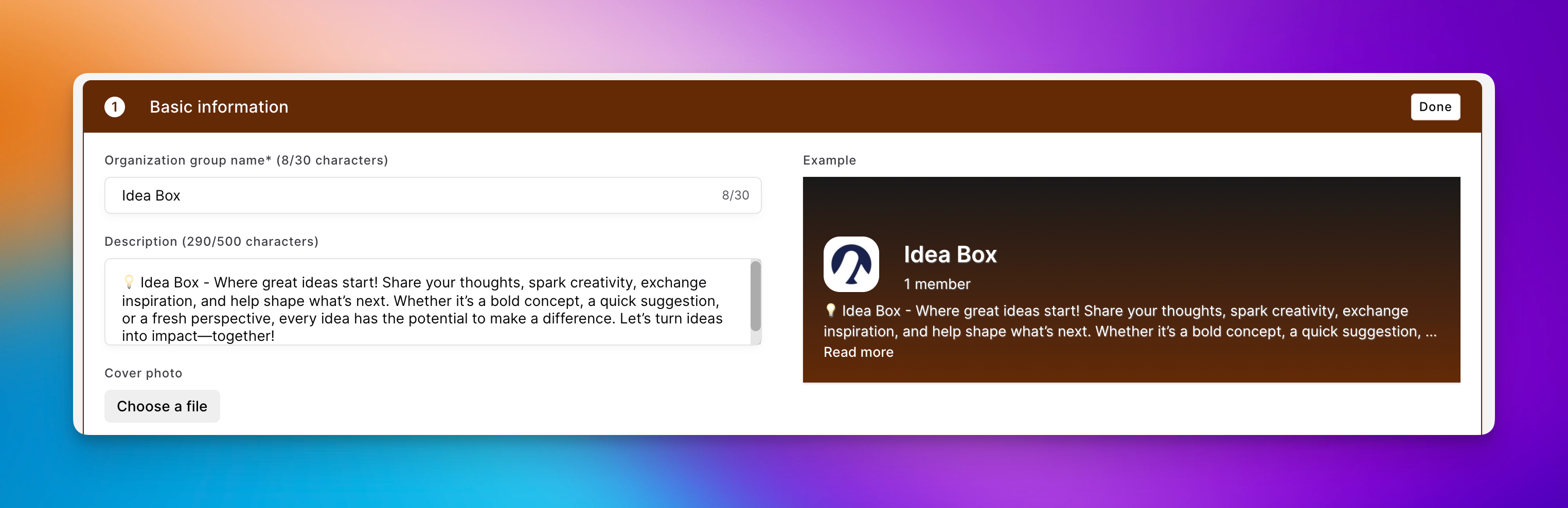
📝 Organisation group descriptions
Admins can add an optional description when they create or edit an organisation group. It appears in the group overview and at the top of the group, shortened until you open the full text. Groups without a description stay as compact as before.
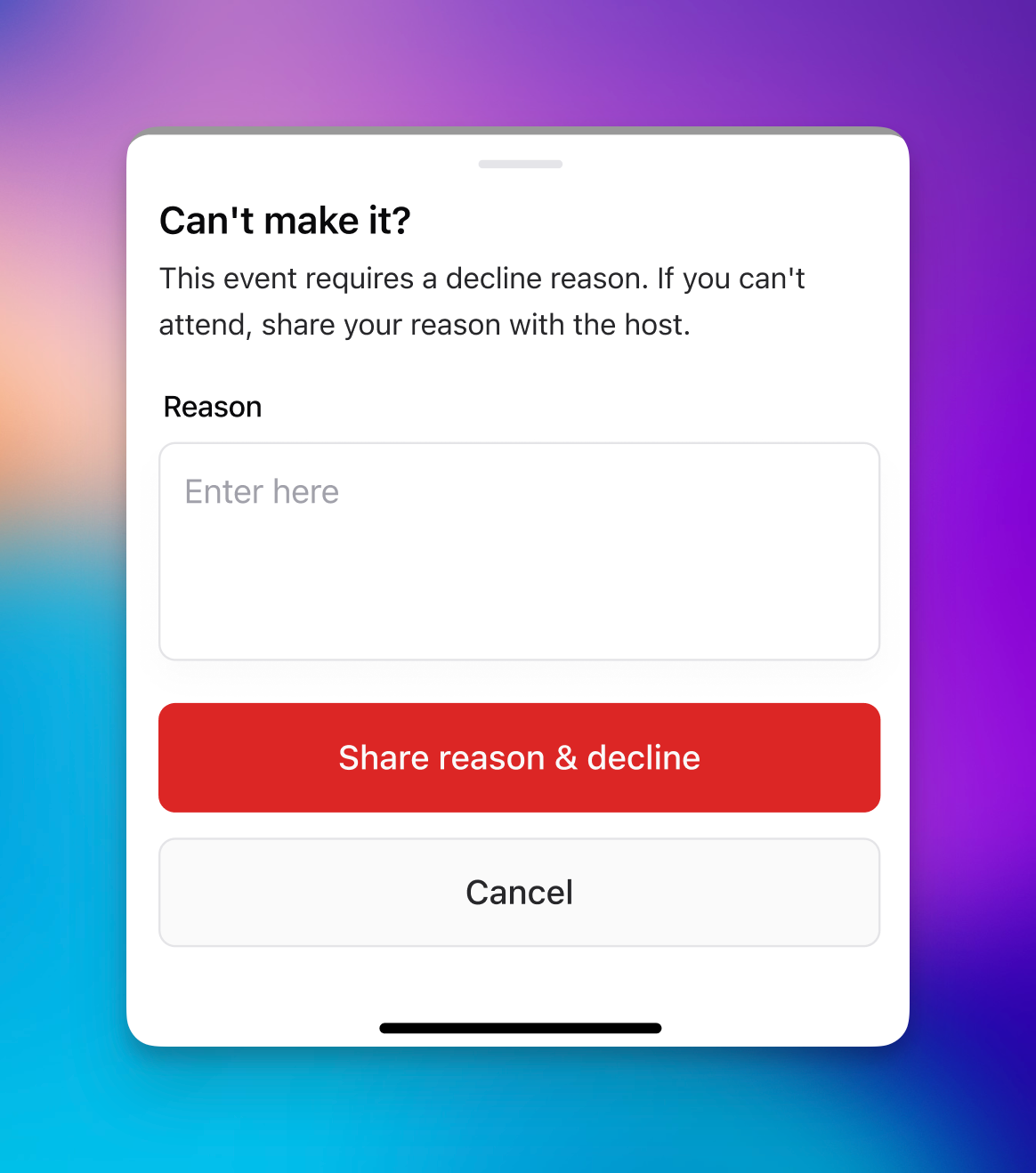
🙋 Reasons for declining an event
When you need to know why someone can't attend, you can now make a reason required on the event. You'll find the setting with the guest list, where it's available while the guest list is turned on. Anyone who declines is then asked for a reason, on web and in the app. You can see your own reason afterwards, and admins see all reasons in the list of people not attending.
🔌 Zapier and n8n
Oneteam now has its own integration in Zapier and n8n. You connect with an API key and build workflows in the tools your team already uses to tie systems together. A workflow can start when someone joins, finishes onboarding or completes a course, or when a birthday or contract date is coming up. From the same connection you can invite people, update their details, move them to another community, function group or team, post an organisation-wide message, send a chat message or push notification, or create a task.
💻 Web
📎 Files in comments
You can now attach a file to a comment on the timeline, on a form or on a task. Each file shows its name, type and size, and you can download it. Photos and GIFs still show inline as before, and a comment can be just a file.
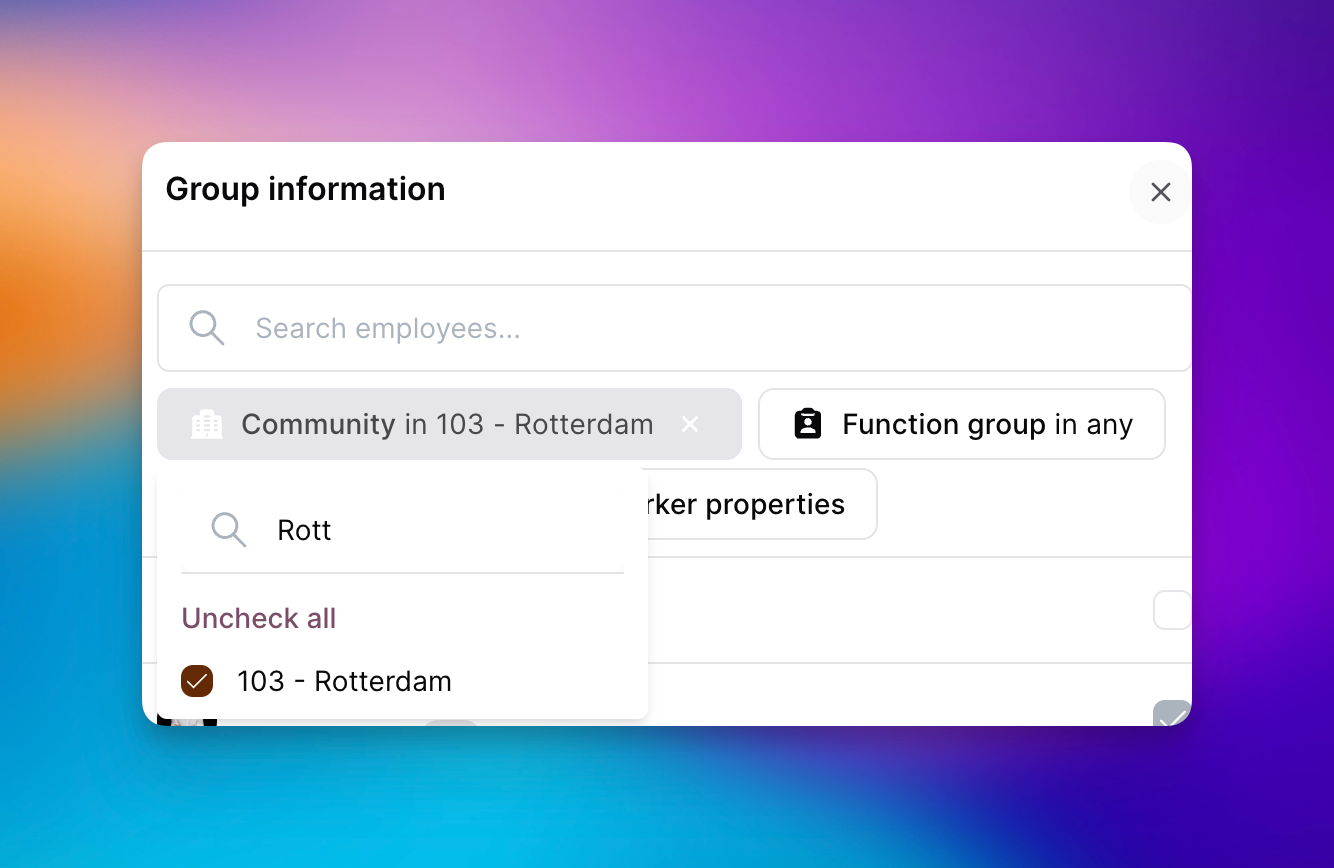
👥 Filter members in group chats
When you create a group chat or add members, you can now filter colleagues by function, community and custom employee fields.
📱 Mobile
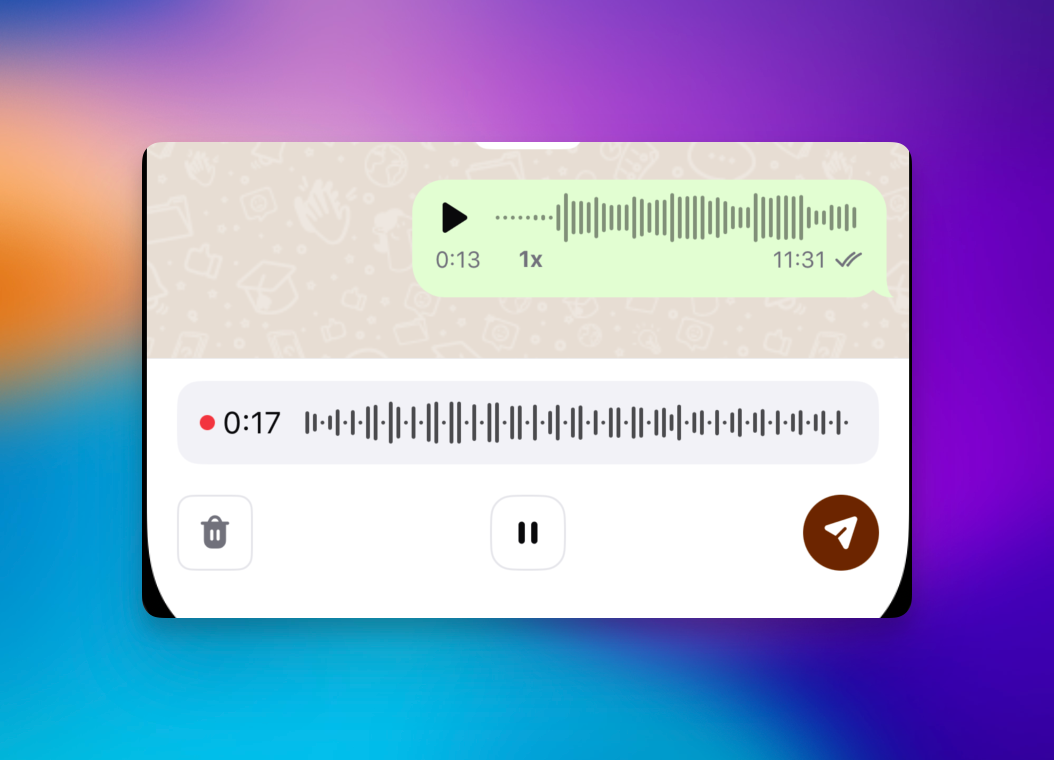
🎤 Voice messages
You can now record and send voice messages in chat in the app. Hold the microphone button to record. The message then plays right in the conversation, with its duration shown, instead of opening as a file.
🙂 Profile status
Profile status now shows everywhere someone's name appears in the app, just like on web. You'll see the emoji next to their name in the colleague list, on the timeline, in chat and in comments. You can also add an automatic chat reply to your status, and pause your notifications until the status ends. The reply is sent once when someone messages you, and is marked as an automatic reply. In chat, others can see that you've paused notifications.
📅 Add an event to your calendar
Add to calendar on an event now lets you pick from the calendars on your phone, such as the built-in calendar, Google Calendar and Outlook. If you only have one, the event goes straight there.
🐛 Bug fixes
General
The Nostradamus setting "Sync primary community only" now syncs only each person's primary community, not their other communities.
Academy course statistics load much faster, even when a course has thousands of participants.
After deleting a module from an Academy course, you can save the course again.
Changing the language of an Academy module no longer resets how many points it's worth.
Documents with an apostrophe in the file name can be downloaded again.
A shared team task is no longer created twice when you set it to repeat, and a daily repeating task whose deadline has passed is no longer sent out again the same day. Community managers now also have task management in their default role.
The employee list works again when you filter by a manager and a custom employee field at the same time.
The latest message in the chat list shows its photo or file again.
Community managers can add a colleague from their own community to a group chat, even when that person doesn't accept chat invites.
A task that nobody completed before the deadline now shows as expired, and a completed task stays completed.
Web
Send message on a profile opens a direct chat again, instead of the screen for an organisation-wide post.
Celebration posts, such as birthdays and work anniversaries, no longer show a button to start a chat when chat is turned off.
Some tables have their top border back.
The formatting menu in the Academy text editor stays visible while you edit.
A published one-time task can no longer be moved back to draft.
The content, schedule, audience and review status of a published one-time task can no longer be changed.
When you edit a repeating task, you now get a warning that the change only applies to future occurrences.
After saving an integration, you stay on its settings page instead of being sent back to the screen for adding an integration.
The time picker on an event accepts any minute, not just the full hour.
When you schedule a timeline post for later today, you can now change the time.
The notice that a form is anonymous no longer covers the form itself.
A document no longer reloads while you type a message to AI Buddy, and the send icon looks right in dark mode.
Weekday names in the recurrence settings of an event now follow your language.
Changing the times of a shift in Flexchange works again.
Question type names are no longer cut off in the list when you build a survey.
Open answers in an anonymous survey no longer show when they were submitted.
New folder in Documents once again opens the window for naming the folder.
Mobile
On iOS, tapping a notification for a one-time task now opens that task.
On iOS, a task that is 100% complete now shows in green.
On iOS, a task no longer shows an audience name under Assigned to when nobody specific is assigned.
Long options in a task dropdown are no longer cut off on iOS.
Tapping a notification for a repeating task now opens that task.
Bold headings in Academy modules display correctly on iOS.
What's New shows the changelog in your language instead of always in English.
The More screen no longer crashes on Android.
In dark mode on iOS, the file upload box has its border again.
On Android, you can now open links inside a PDF in Documents.