Release 2026.45
Week 45 of 2026
Respondents on anonymous forms and surveys can now choose to share their name, and admins can post company updates in their own name. Tasks get more control too: a start date, per-task notifications and a filter for who created them. We also fixed a long list of issues across web, iOS and Android.
✨ General
🙋 Let respondents choose to share their name
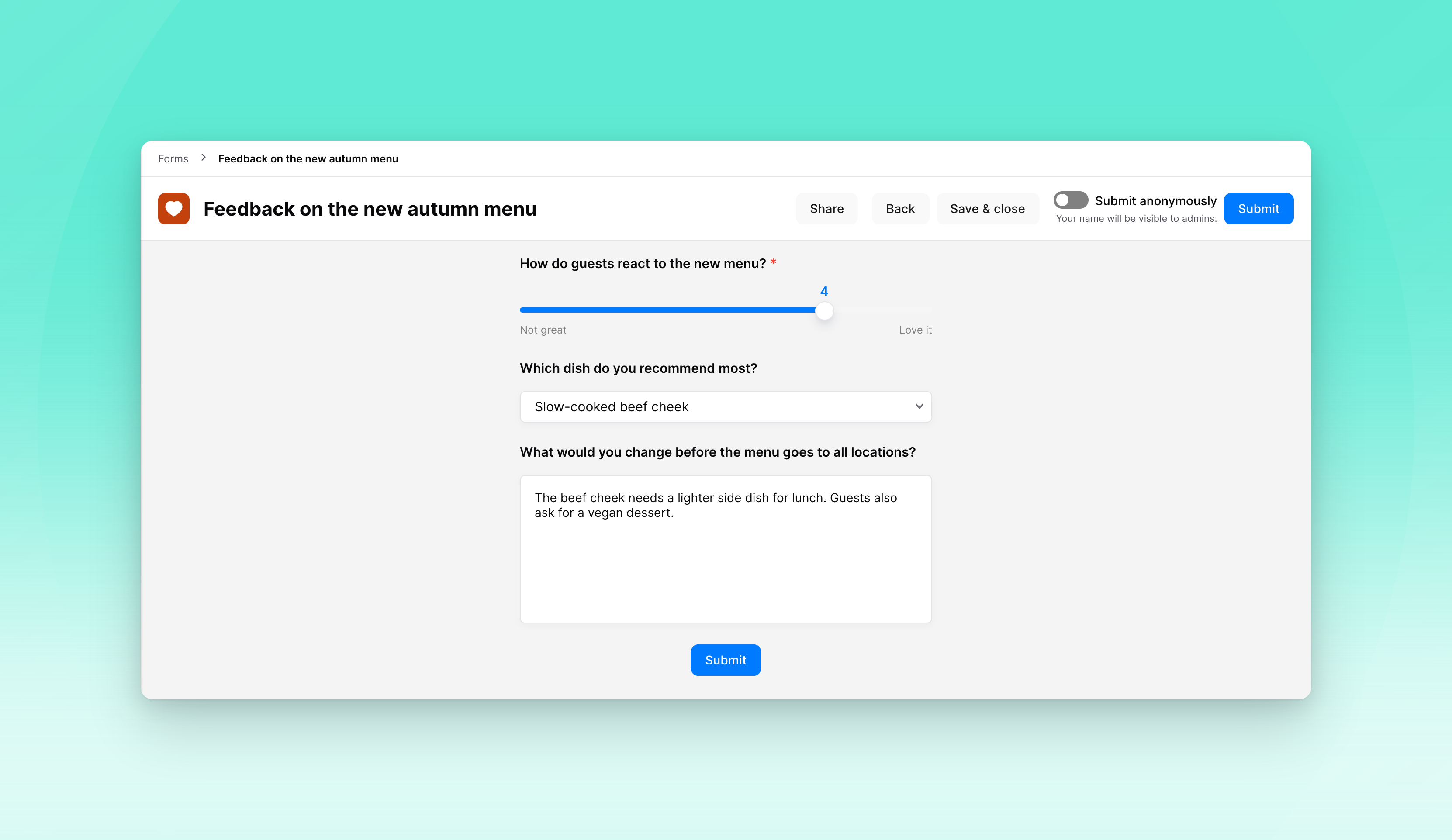
On an anonymous form, admins can now let respondents decide for themselves. A toggle above the Submit button starts on anonymous, and anyone who turns it off submits with their name. Admins then see that name on the submission, while anonymous answers stay anonymous, even if the setting changes later.
🗳️ Respondents choose on surveys too
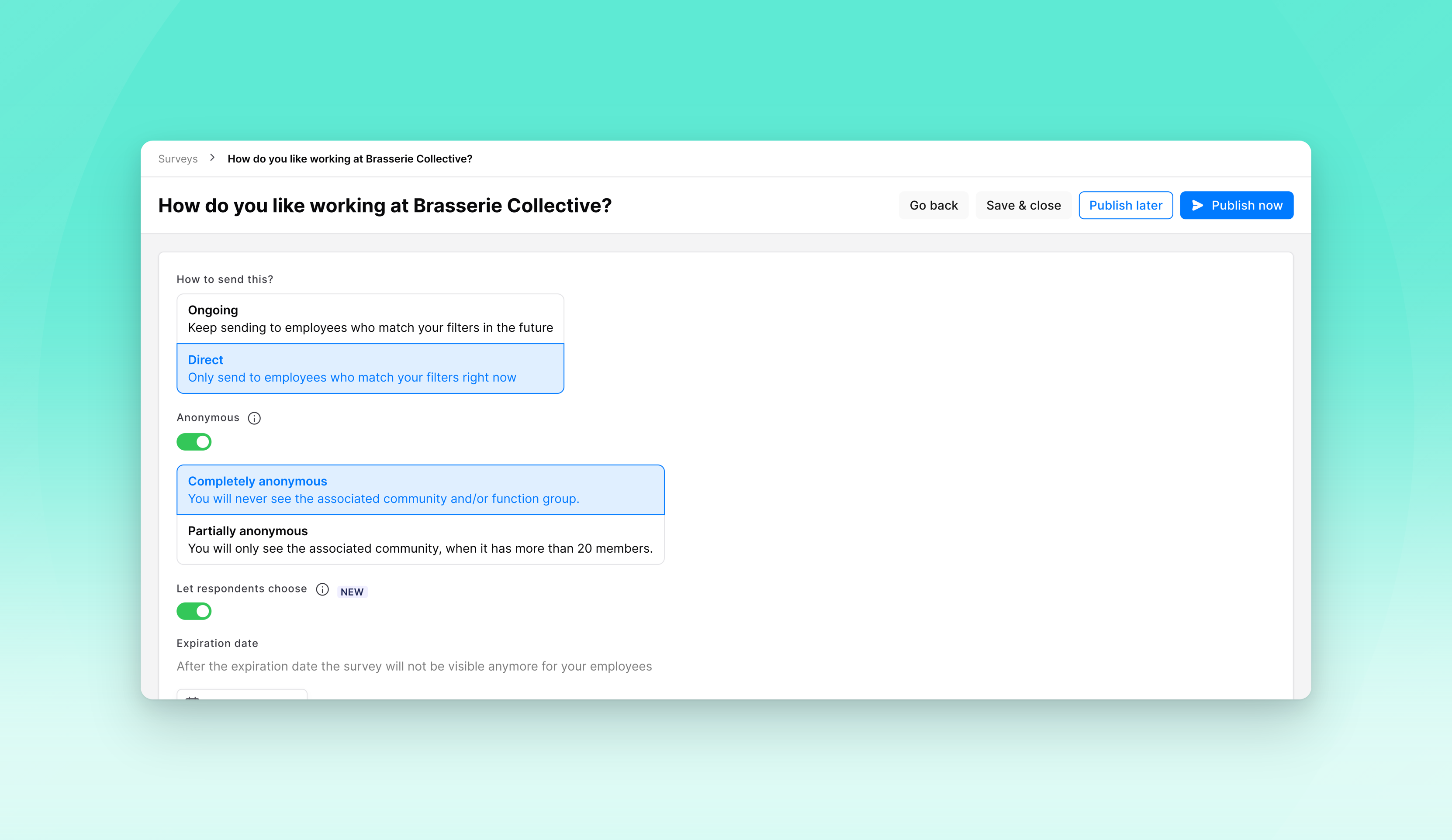
Anonymous surveys work the same way now. Admins can let respondents decide, and on the last step a toggle above Submit starts on anonymous. Someone who wants to be heard by name, for example in an exit survey, turns it off. Who has and hasn't responded stays hidden either way.
✍️ Post company updates in your own name
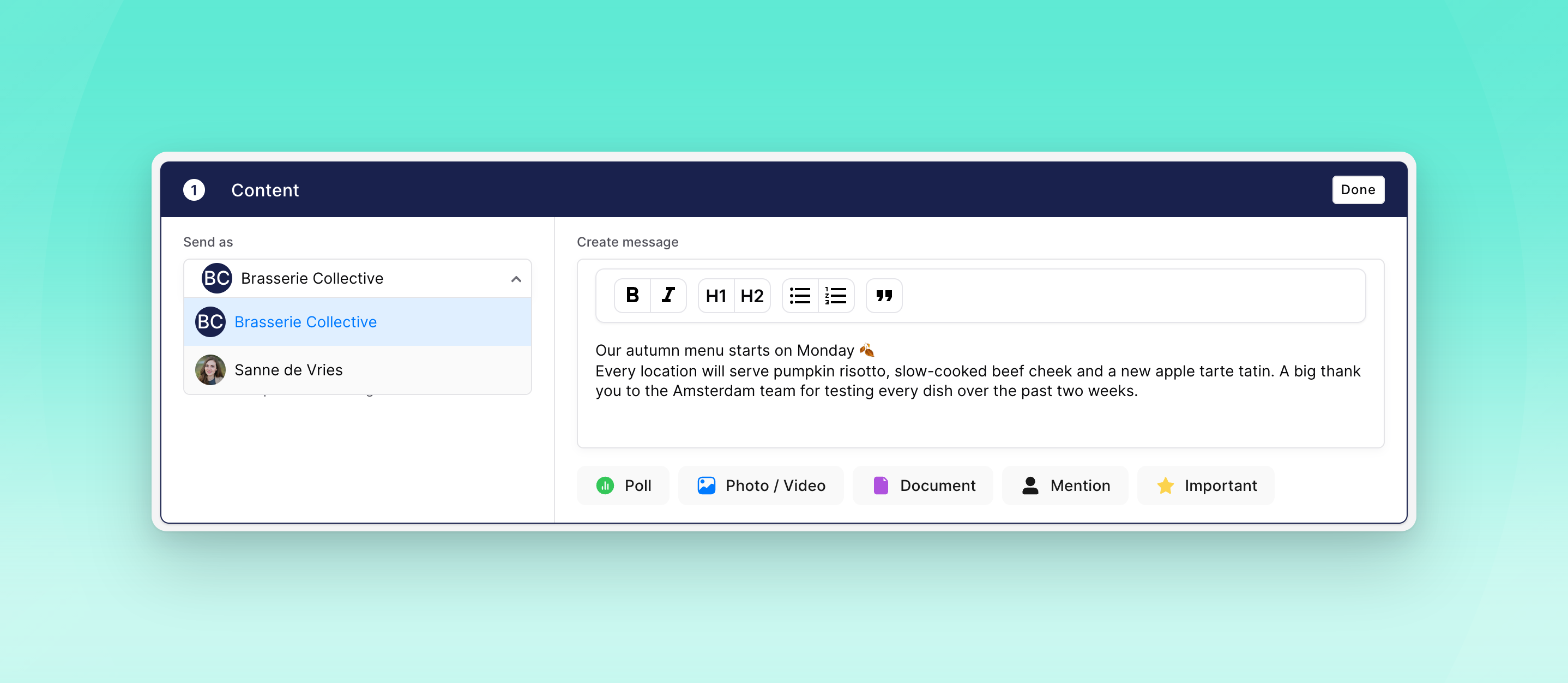
Admins who can post company updates can now choose to post as themselves, with their profile picture and name, instead of as the organisation. The post still appears in Company updates, and notifications show the name you chose. On web, creating the post now happens on one screen: content first, then who it's for.
📊 See how often and how long Oneteam is used
We now track when people open Oneteam and how long they stay. In Analytics, admins can use two new figures, App sessions and Time on Oneteam, and split them by platform, community, function group or team. Time is always shown as a group total, never per person.
💬 Start a chat from the colleague list
Starting a new private chat now uses the same colleague list as creating a group chat. Search by name or filter by community, function group, manager or custom employee field, and tap someone to open the chat straight away.
📅 Choose when a recurring task starts
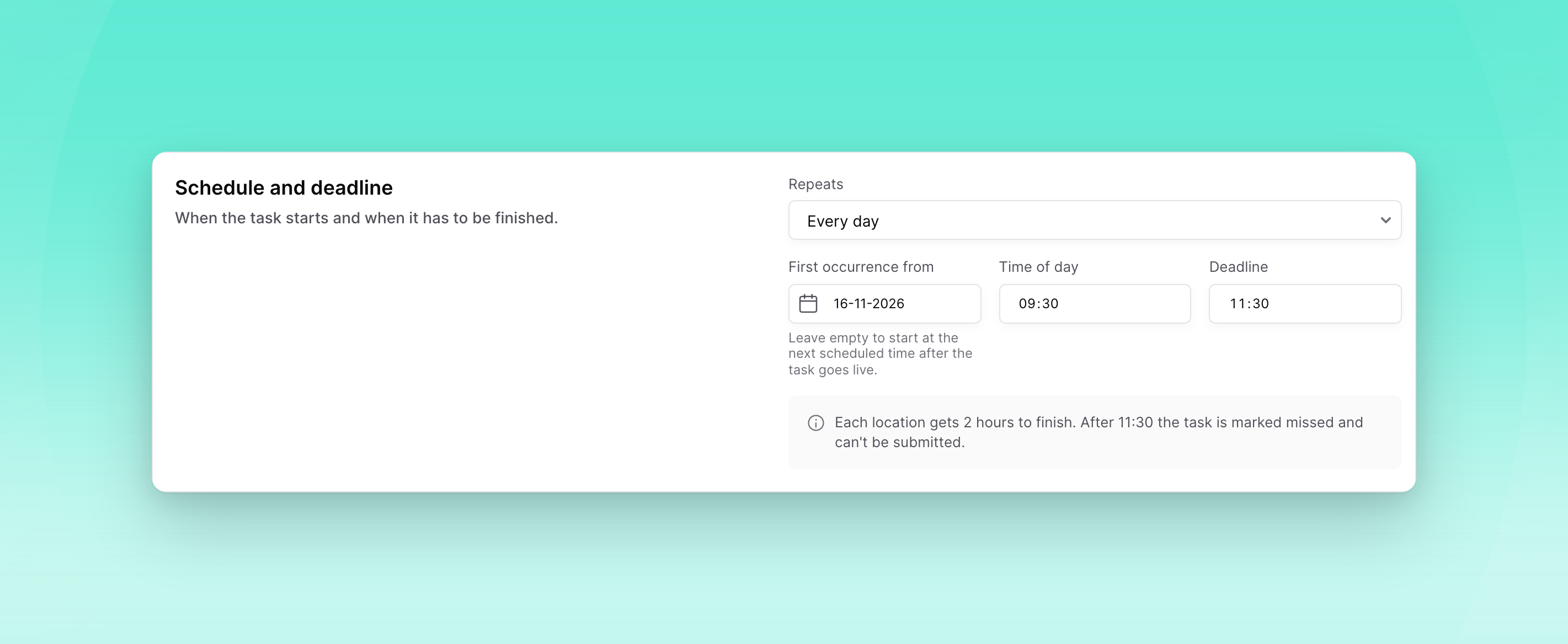
Admins can now set an optional start date on a recurring task, so the first instance can be planned for a later date. Leave it empty and the task starts at the next recurrence, as before.
🔔 Choose which notifications a task sends
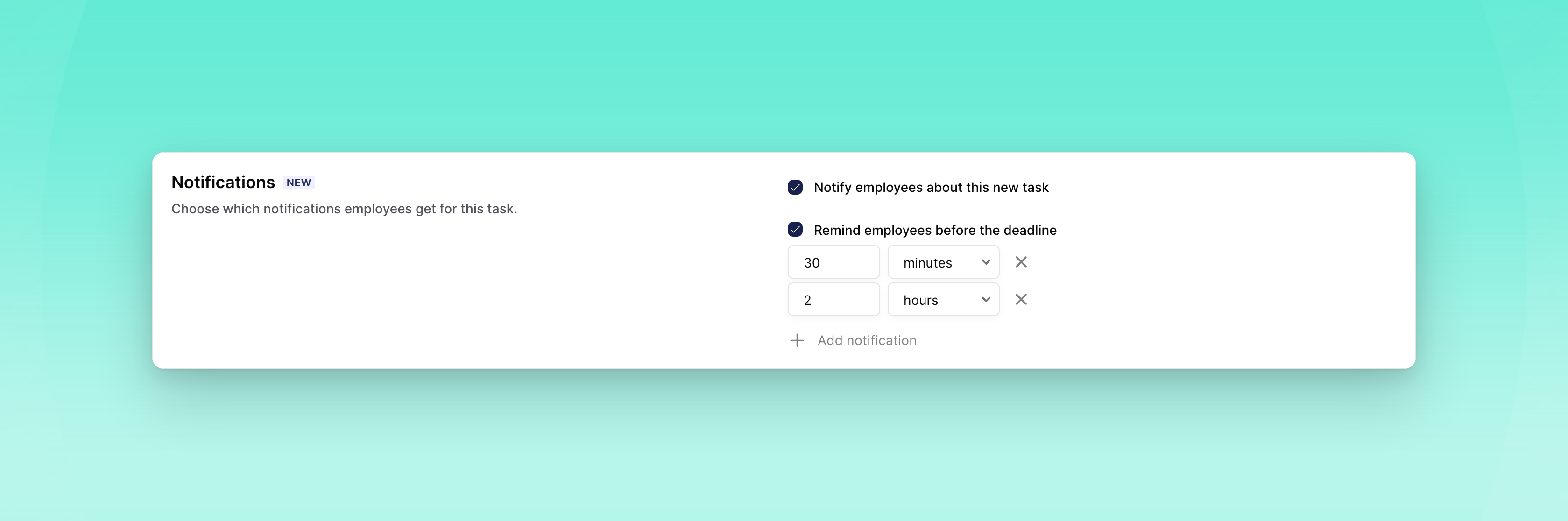
Per task, admins now decide whether employees get a notification when a new task is ready, and whether they're alerted before the deadline. The deadline alert starts at 30 minutes and you can add more moments. You can change both on drafts and on live tasks; the change applies to notifications that haven't gone out yet.
🔗 Byner access follows the employment end date
For organisations connected to Byner, employees now keep access to Oneteam until their employment end date. Closing an assignment during a notice period or an internal move no longer removes someone early.
🤖 Create tasks with your AI assistant
If you've connected Oneteam to an AI assistant, you can now ask it to create tasks: one-time or recurring, for people, teams or function groups. A task starts as a draft, and the assistant asks you to confirm who gets it and when before it goes live.
💻 Web
🔎 Filter tasks by who created them
The organisation's Tasks & Checklists overview has a new Created by filter. Tasks that community admins made for their own community are hidden by default, so the overview shows the organisation's own tasks, and you can include them whenever you need to.
🎬 Watch how tasks work
When your dashboard is in Dutch, a video button next to Create task explains how tasks and checklists work.
📱 Mobile
🗓️ Subscribe to your Oneteam calendar
You can now add your Oneteam calendar to Google Calendar, Apple Calendar or Outlook with a personal link. Choose which items to include (shifts, events, celebrations and exchanges), and your calendar app keeps them up to date.
🐛 Bug fixes
General
Deleting an Academy course no longer leaves it behind in learning paths.
Academy quiz answers are shuffled again in the app.
Academy courses created through an AI assistant connection now get the language of their content, and a course's language can be corrected without translating it.
Loket now also assigns function managers, not only employee managers.
An API key with only task permissions can now create tasks, for example from n8n.
Forms and tasks written in Dutch before multilingual content arrived are now set to Dutch as their main language.
The employee overview shows "Date in service" again when it's filled in.
Integration syncs no longer fail while assigning managers.
Personio now syncs phone numbers and birthdays when they're stored as custom attributes.
For organisations connected to Strobbo, synced shifts now belong to the right community, so employees can offer them for exchange and see the community name as the location.
Web
Shortcut links show their real destination again, and shortcuts to built-in features can be shared.
An evaluation form with competencies can no longer be set live without a rating scale.
PDF files open in the preview again.
Numbered lists in timeline posts keep their numbering again when an item contains a line break.
Adding open answers to a survey report works again.
You can edit the location of a copied event again.
The statistics overview updates again when you change the date.
Long "Grouped by" labels in bar charts are shortened with an ellipsis.
The audience label on an Academy course card stays inside the card when several function groups are targeted.
Reopening an organisation is fast again.
The new chat dialog no longer offers "Create group" when group chats are turned off.
Internal links show as labels again when you edit a timeline post.
Switching community from the top bar now asks before discarding your unsent timeline post.
The Poll button in the post editor is readable in dark mode again.
Images no longer show below the edit form while you edit a timeline post.
A link preview in the chat composer no longer turns up after the message with that link was already sent.
Filter lists no longer get cut off in the "Create a new group" dialog.
Privacy settings show the phone number option as readable text again, with proper spacing next to the icons.
Timeline cards line up their details and the counters on important messages properly again.
Deleted employees can no longer be opened from the Employees overview.
Long web addresses in timeline link previews stay inside the post.
iOS
The top bar of the Hub no longer gets stuck, and the header photo comes back after switching organisation.
Links and mentions in image captions in chat can be tapped again.
A chat opened from a notification no longer goes blank when the keyboard opens.
Everyone you tag in a group chat stays tagged after sending.
Sharing files to Oneteam is readable in dark mode again.
The unread count on the Notifications tab shows reliably again.
The voice message button comes back after you send a text.
Long event tags in the calendar are cut off neatly.
Your profile picture in the Hub is round again and the badge is fully visible.
Documents no longer show a white strip after turning back to portrait.
Event and course header images fit their image instead of being heavily cropped, and you can tap them to view them full size.
Academy videos show picture again instead of playing audio over a blank screen.
You can take a photo or record a video from the timeline composer again.
Switching between light and dark mode updates every screen straight away, and action menus are fully dark in dark mode.
The mention list is readable in dark mode again.
A form draft is removed once you submit it from the drafts list.
Form submission comments follow dark mode again.
Times read "1 hour ago" instead of "1 hours ago".
The chat list no longer occasionally freezes the app.
Android
Profile pages load faster, and the header no longer waits for every detail before it appears.
Celebrations are grouped under the right day again, and each person appears once.
Some videos recorded on an iPhone play with picture again instead of a black screen.
You can save timeline videos to your gallery again.
Links in italics open again.
Password reset links open the reset page again instead of showing an error.
A form submission shows when it was submitted, not when it was last updated.
iOS and Android
In dark mode, more screens use dark colours, and icons that disappeared on a dark background are visible again.